BuildFlow-CM AIA billing G702 and G703 workspace
AIA Billing

AIA Billing Software for Contractors

Prepare progress payment requests from a connected Schedule of Values, retainage, stored materials, previous applications, and approved changes without turning every requisition into an office emergency.

AIA billing can be intimidating for a contractor facing it for the first time. BuildFlow-CM was built to organize the process and keep each billing period connected to the project.

A real contractor problem

The payment request can be urgent even when you are nowhere near the office.

A contractor may be driving to another jobsite when the client or construction manager calls asking for the requisition as soon as possible. Going back to the office just to prepare a payment application wastes time, and an administrative assistant who is still learning AIA billing may not know how to assemble it correctly. BuildFlow-CM puts the billing workflow inside the same project system the contractor already uses.

  • ●Field-accessible workflow
  • ●Billing history
  • ●Project context
  • ●Fewer office handoffs
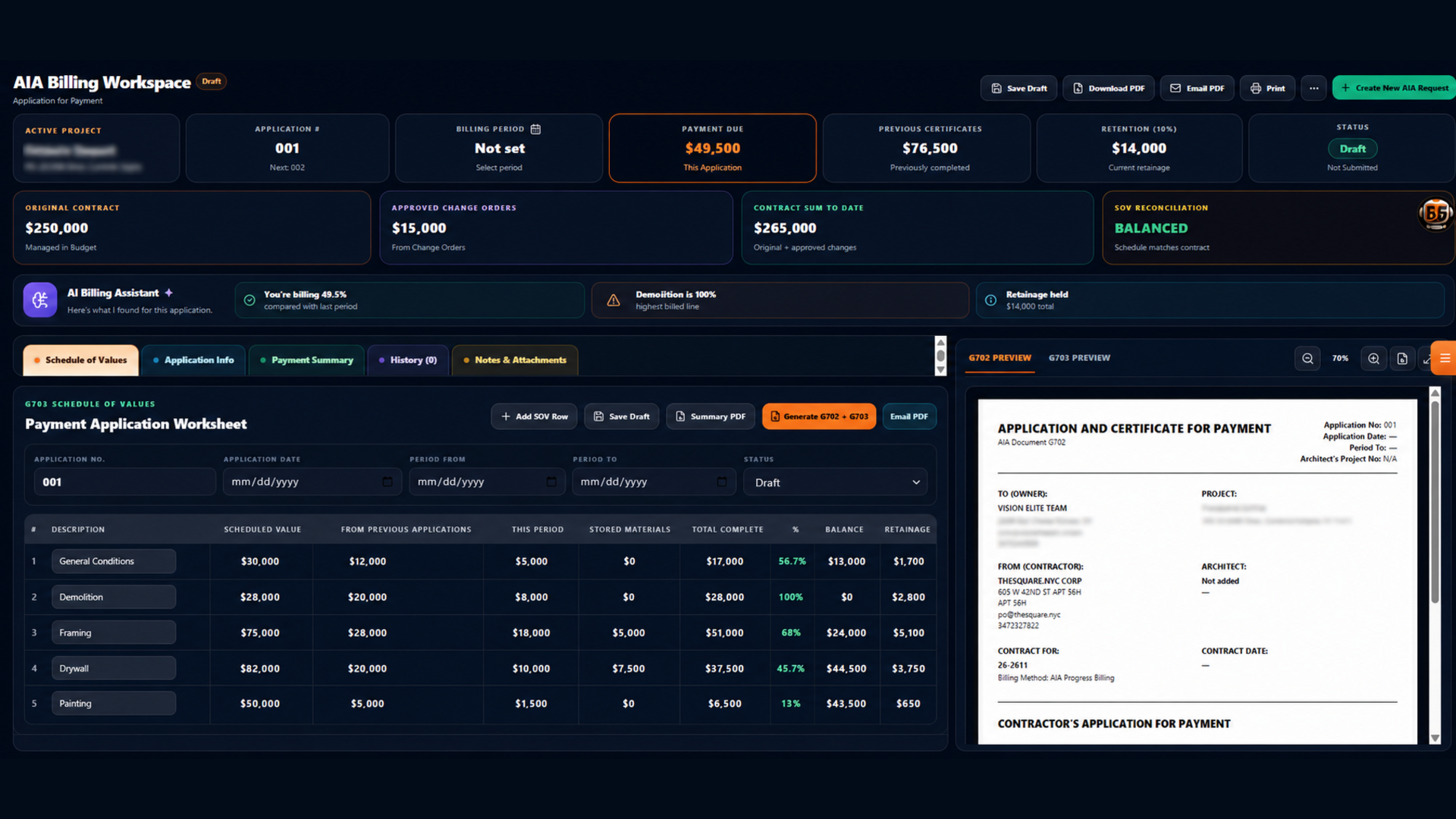
BuildFlow-CM AIA billing payment request workspace
Schedule of Values

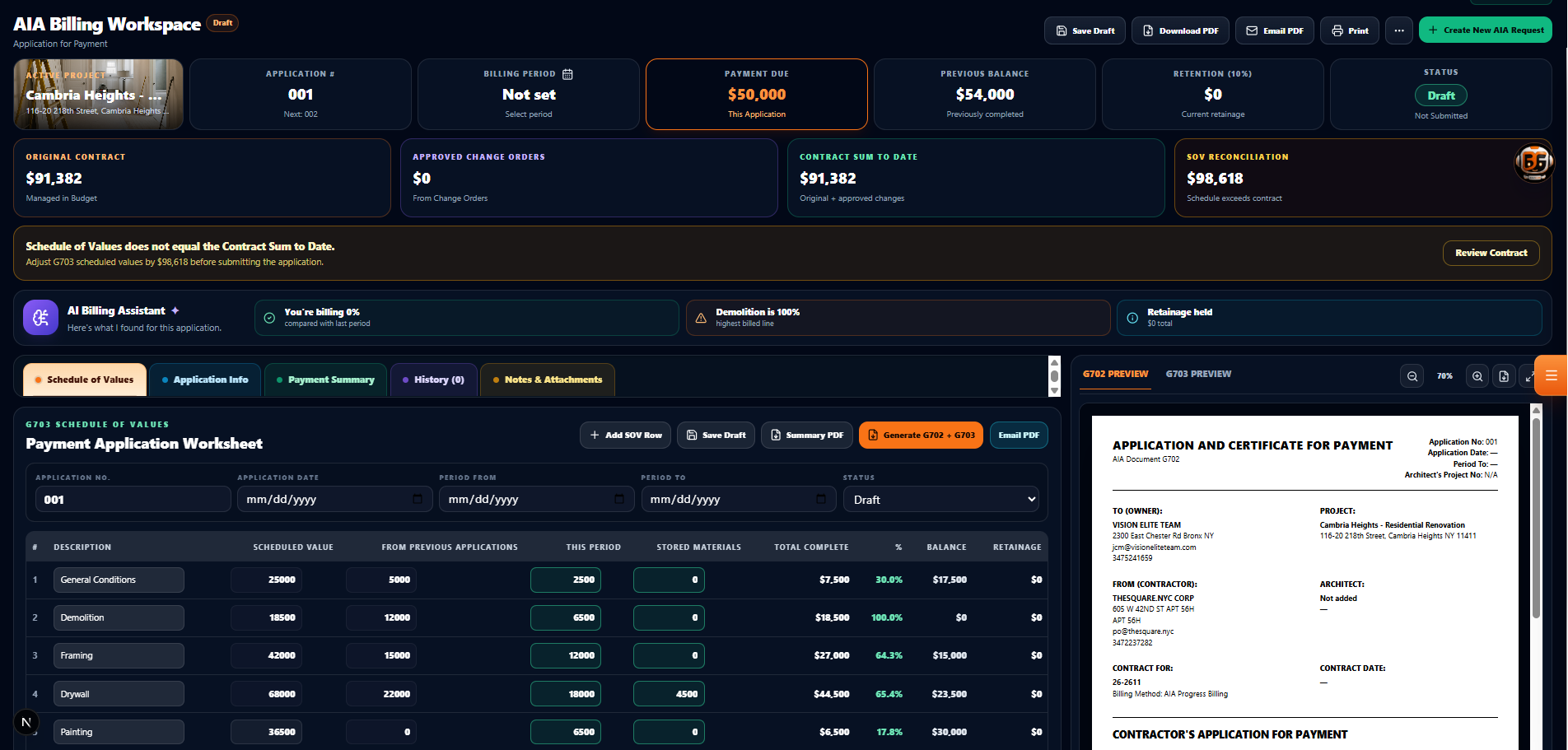
Keep the billing period connected to the project structure.

Review the Schedule of Values, previous applications, current work, stored materials, retainage, approved changes, and current amount due without rebuilding the billing story from separate spreadsheets every month.

  • ●Schedule of Values
  • ●Previous applications
  • ●Stored materials
  • ●Retainage and approved changes
BuildFlow-CM AIA billing Schedule of Values
G702 / G703

Review the application and continuation data before you send it.

BuildFlow-CM brings the connected billing information into a reviewable G702/G703 workflow. The contractor remains responsible for checking the contract requirements and final numbers, but the repetitive organization is handled inside the project instead of being reconstructed from scratch.

  • ●G702/G703 workflow
  • ●Live review
  • ●PDF output
  • ●Email sharing
AIA G702 and G703 payment application preview in BuildFlow-CM
Connected payment control

A payment request should know about the changes that affected the project.

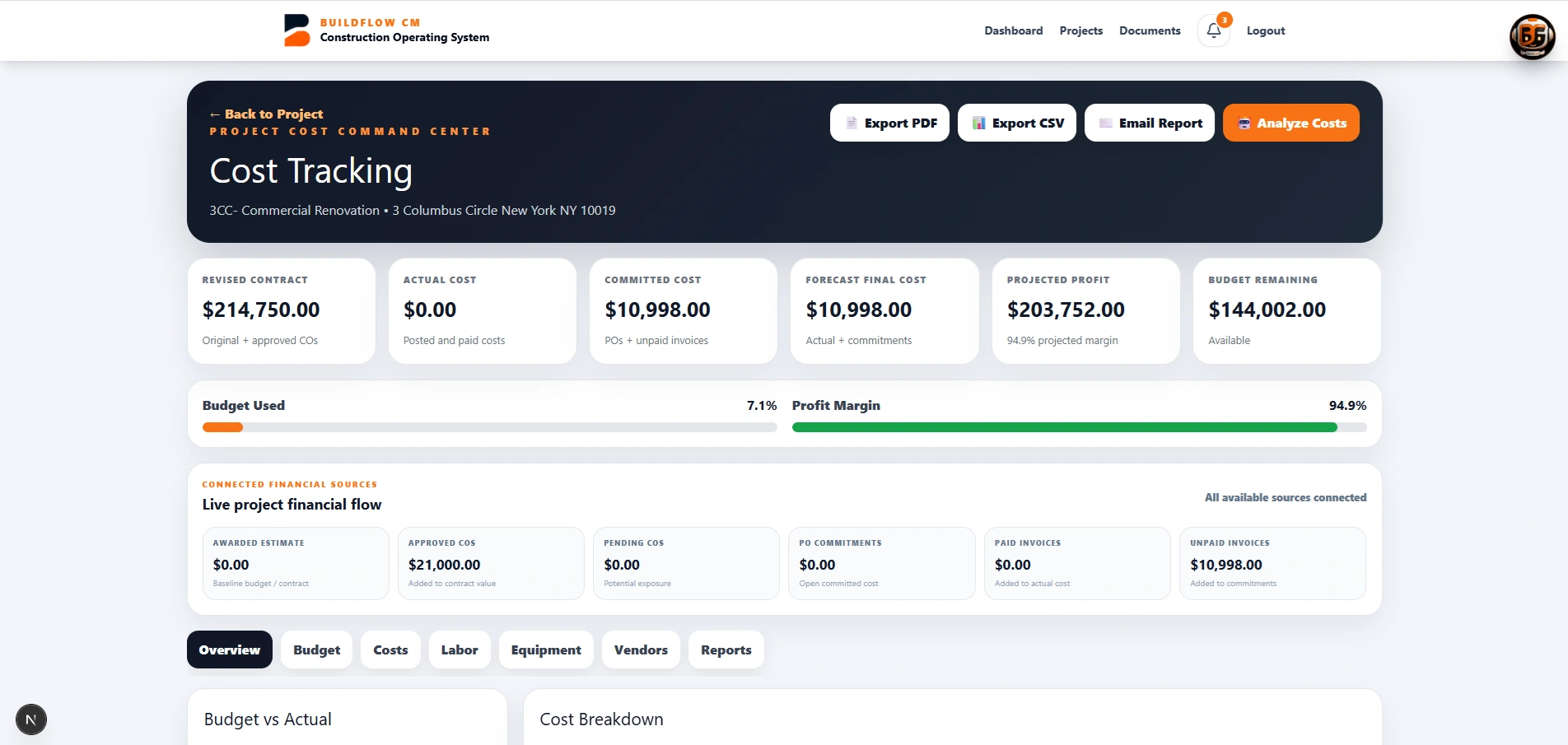
Approved change orders, project cost information, retainage, lien-waiver records, and previous billing activity belong close to the payment request. Keeping them in one project environment makes it easier to understand what is being billed and why.

  • ●Approved change orders
  • ●Project financial context
  • ●Lien-waiver workflow
  • ●Billing records
Construction financial control connected to AIA billing
FAQ

Questions contractors ask before changing systems.

Why can AIA billing be difficult for smaller contractors?

The first payment application introduces a connected set of concepts—Schedule of Values, previous applications, work completed, stored materials, retainage, changes, and G702/G703 continuation data. BuildFlow-CM organizes those parts into one project workflow.

Does BuildFlow-CM support G702 and G703 output?

The BuildFlow-CM AIA Billing workspace is designed around connected G702/G703 payment-application output from the project billing data.

Should the payment application still be reviewed?

Yes. Contract requirements and final billing information should always be reviewed before submission. BuildFlow-CM reduces the repetitive administrative work but does not remove the contractor's responsibility to verify the application.

Get Started with BuildFlow-CM

Create your account and put your construction operation in one connected system.

Create your BuildFlow-CM account, choose the plan that fits your company, and start connecting estimating, projects, field activity, costs, billing, documents, and workforce workflows.